DUB COMMANDER
Two decks for selectors
Load tunes, cue like a CDJ, hot cues and loops, SYNC and MASTER, key lock, SPINBACK and the headphone cue.
- Level
- Intermediate
- Time
- 7 min
- Steps
- 4
- Updated
- Nov 16, 2026
Written from: M3 development build (0.1.0), 2026-11-16. The interface may change before release.
The DECKS page has deck A and deck B with the deck mixer between them. The dub console and MASTER stay below and beside them: everything the decks play can be dubbed.
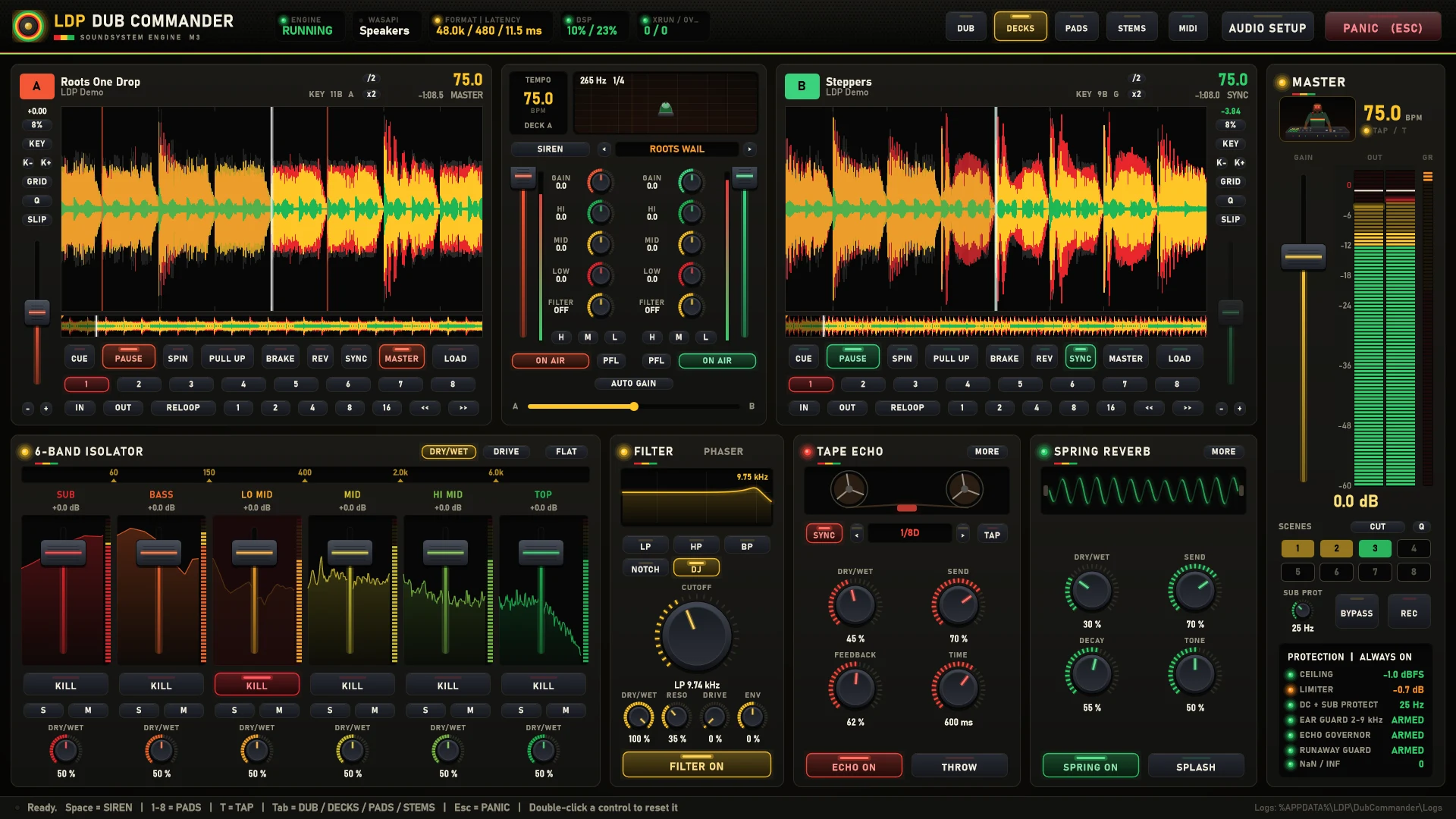
Loading
- L opens the library (add your music folders there); pick a tune and load it into a deck.
- Drag a file from Windows onto a deck, or press LOAD on the deck.
- "Open with LDP DUB COMMANDER" on a file loads it into deck A, then B.
Each tune is analyzed on load: tempo, beat grid and an overview waveform. A tune analyzed once loads faster the next time.
Playing
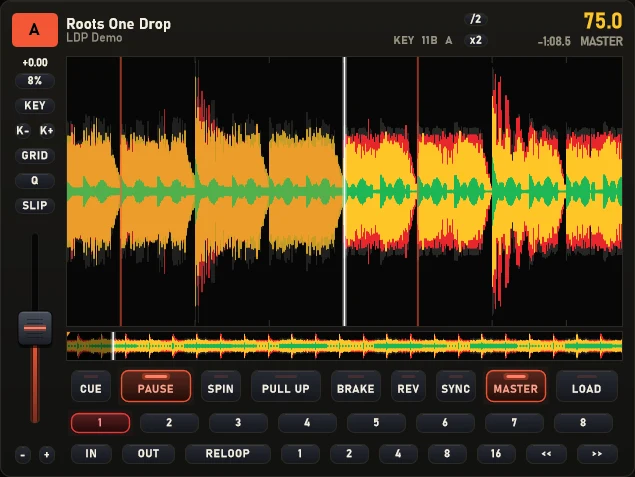
- CUE works like a CDJ: paused, it sets the cue point; held, it previews; let go, it returns.
- PLAY / PAUSE, the tempo fader (top is slower, like the screen) with KEY for key lock.
- 1–8: hot cues — set when empty, jump when set.
- IN / OUT / RELOOP and beat loops 1 2 4 8 16; « » jump back or forward on the beat grid.
- SPIN: the sound-system rewind; the deck rests on the cue.
- /2 and x2 correct a tempo detected at half or double speed.
Tempo
- MASTER makes a deck the tempo master: its tempo drives the echo SYNC, the siren LFO and the other deck.
- SYNC on the other deck matches the tempo and locks onto the master's beat. When the master starts (or you TAP a new beat), a synced deck snaps onto it at once.
- With no master playing, SYNC follows the TAP tempo.
The mixer
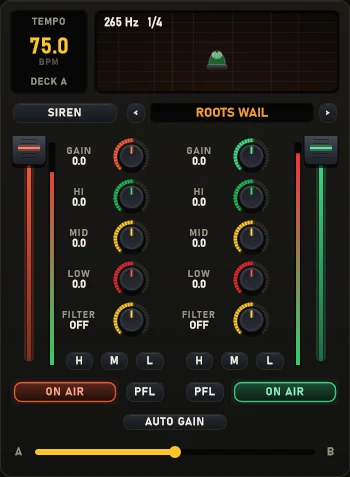
GAIN, HI / MID / LOW (center is flat, left end is a kill) and the H / M / L kill buttons, the channel faders, the crossfader (both decks at full level in the center), ON AIR (the deck into the dub console) and PFL (the deck to the headphones).
The headphone cue needs an interface with four outputs: outputs 1+2 go to the system, 3+4 to the headphones. With two outputs, PFL still shows its state and the app tells you why you do not hear it.
The small siren pad and the siren preset sit in the mixer, so the siren is never a page away.