01 — Sources
Decks, stems and dub in one place
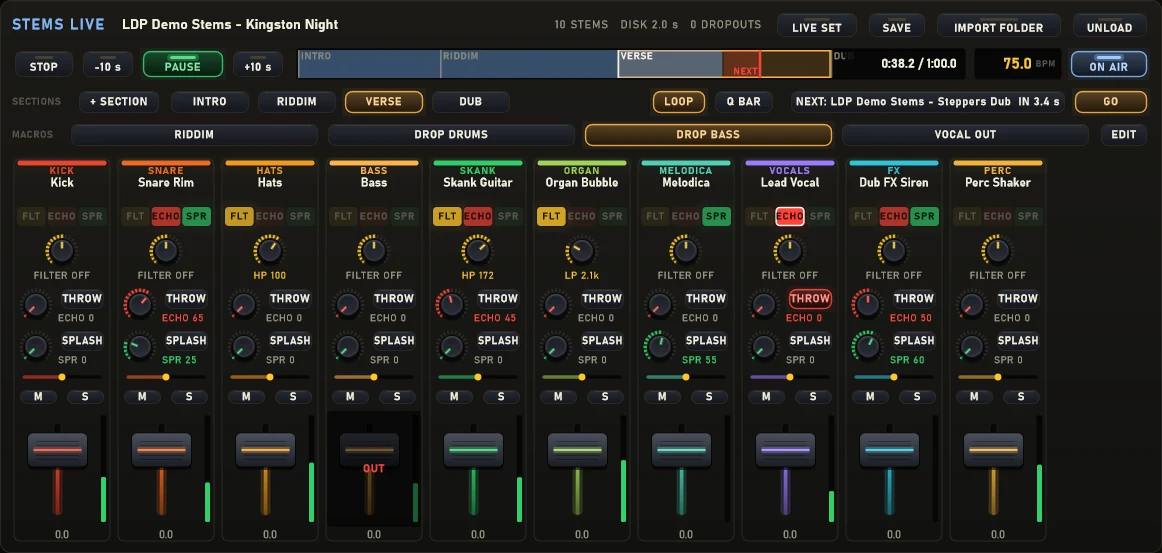
Two DJ decks with sync and key lock, a stem player that streams from disk, and the dub console — playing at the same time.
LDP AUDIO · Audio software for Windows
We build audio software for Windows: live dub and DJ tools, VST instruments and effects. Every feature is measured before we describe it, and every product is made to stay safe when the music is loud.
What we build
Software for the stage, instruments for the studio, and the tools that connect them — each one complete on its own.
Featured product
A real-time dub station for Windows: dub anything your PC plays, two decks and stems, safe on a big sound system.
01 — Sources
Two DJ decks with sync and key lock, a stem player that streams from disk, and the dub console — playing at the same time.
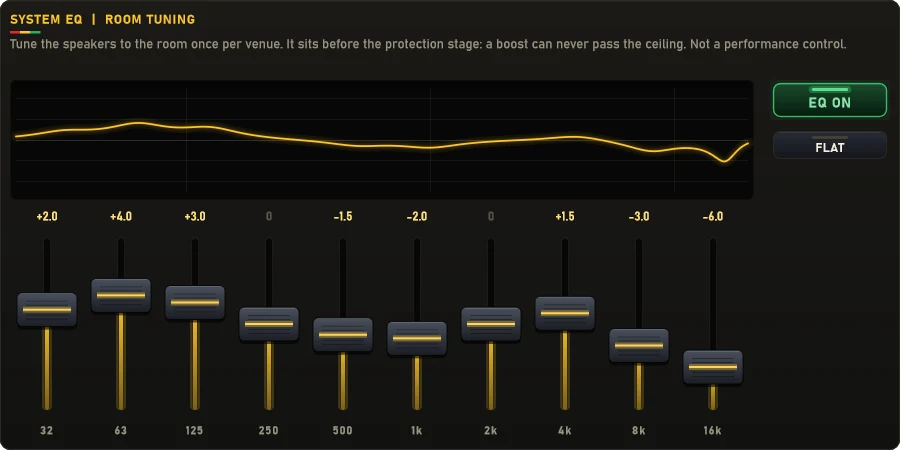
02 — Room
A ten-band room EQ sits before the protection stage, so a boost can never pass the ceiling. It tunes the system — it is not a performance control.
03 — Feel
TAP and the siren pad carry small animations drawn by the application itself — tape reels, a speaker stack, a lion — that land on every beat.
Frames rendered by the application, played here as a flipbook.
How we build
A feature is described only after an automated test has measured it. Where a test is still pending, we say so.
The audio thread never allocates memory, waits on a lock or touches the network. Dropouts are engineering failures, not features.
Ceilings, sub-sonic filters and feedback guards that cannot be switched off — because the last thing a sound system needs is a surprise.
Your audio and your projects stay on your computer. Nothing leaves it without your consent, and you never need our server to play.
Every product works on its own. LDP Link, in development, will let them share tempo, scenes and control directly, peer to peer.
The line-up
Product families
Like the six bands of an isolator, each family covers its own range — and every product works on its own.
Instruments and drum machines for writing.
2 productsProcessors and racks for shaping sound.
2 productsPerformance engines and visuals for the stage.
2 productsListening tools that turn audio into data.
ComingMixing and routing for studio and stage.
ComingBridges between hardware and software.
ComingLatest
The latest developments, new features, product updates and technical articles from our development team.
Philosophy
Hardware earns trust by doing the same thing every time. We hold our software to that standard: predictable controls, no hidden states, no clicks when you move a knob.
We would rather ship fewer features that are real than many that are promised.
A live dub station for Windows: dub anything your PC plays. Now in development.
See what it does