DUB COMMANDER
Sampler pads and scenes
Horns, shots and drops on 32 pads; whole-console snapshots recalled on the beat.
- Level
- Beginner
- Time
- 4 min
- Steps
- 2
- Updated
- Nov 16, 2026
Written from: M3 development build (0.1.0), 2026-11-16. The interface may change before release.
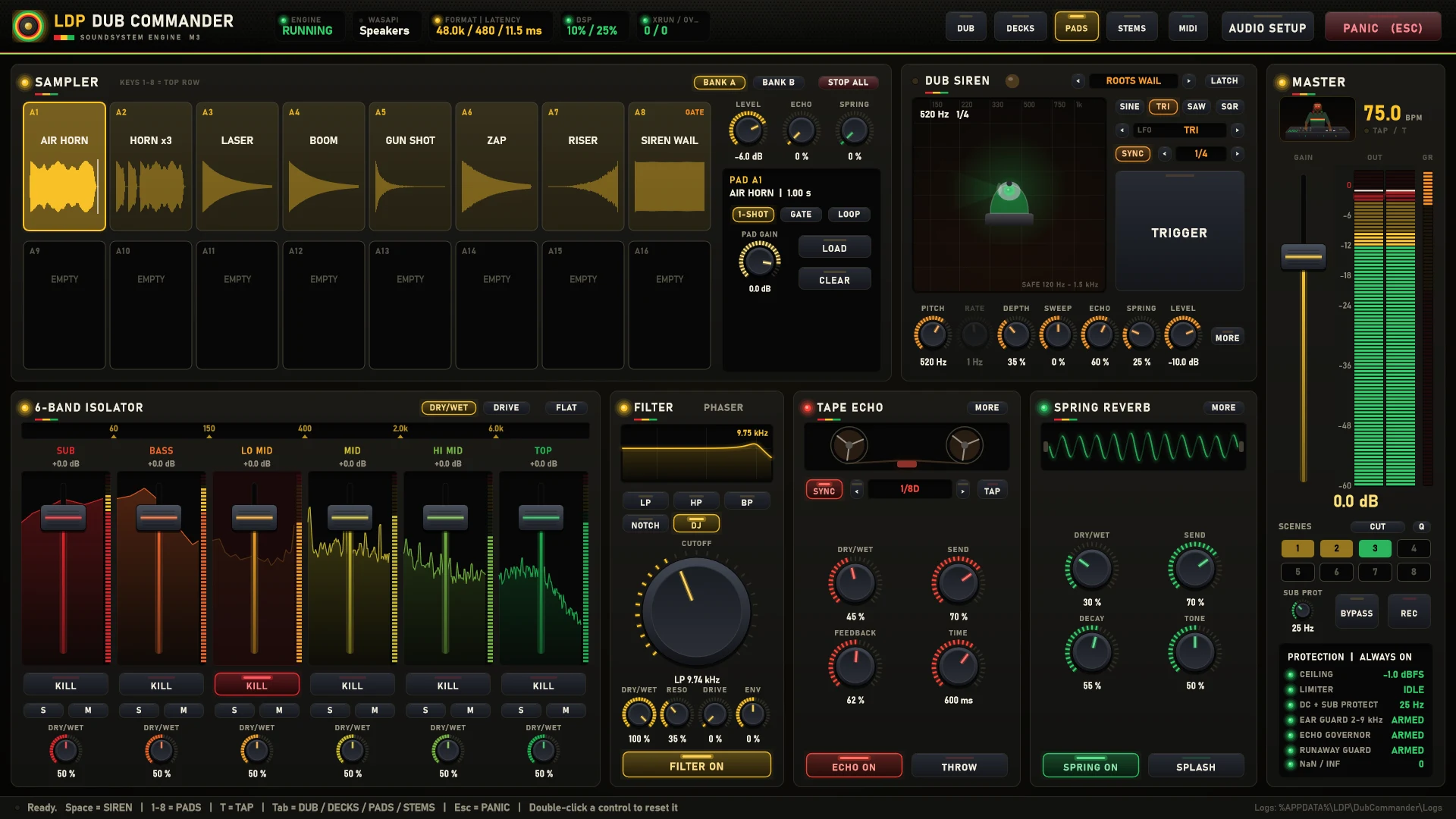
The pads
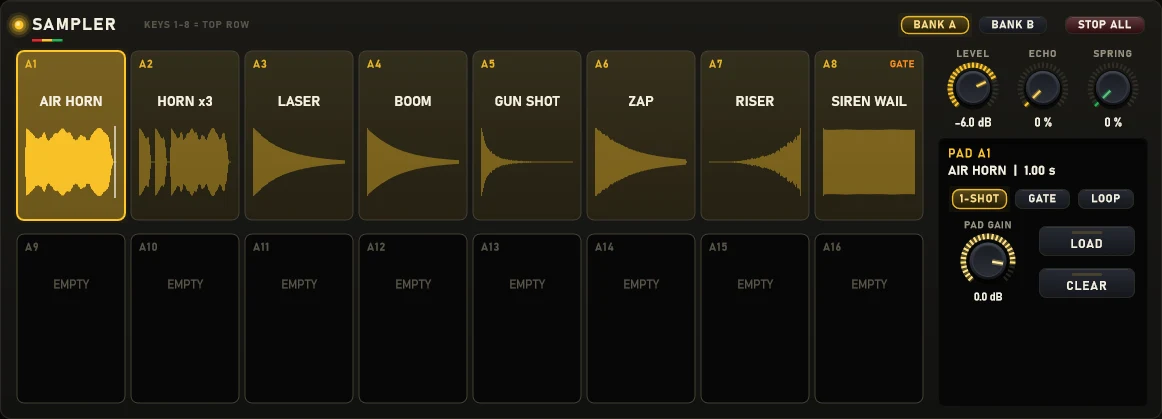
The PADS page has 32 pads in two banks (BANK A, BANK B) and a built-in sound-system kit: air horn, horns, laser, boom, shot, zap, riser, siren wail.
- Click a pad, or press 1–8 for the top row of the visible bank; 0 stops every pad (STOP ALL too).
- Each pad plays 1-SHOT (to the end; again restarts), GATE (while held) or LOOP (on / off), with its own PAD GAIN.
- LOAD or drag a file onto a pad to use your own sounds; CLEAR empties it.
- LEVEL, ECHO and SPRING set the whole sampler's level and its sends into the dub effects. Pads skip the isolator (a kill never silences a horn) and keep playing in BYPASS.
Scenes
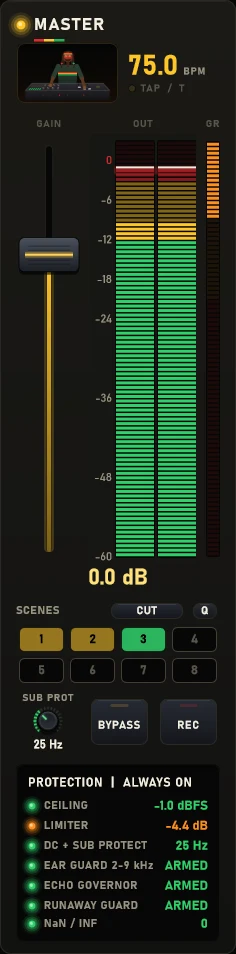
SCENES (MASTER column) are eight snapshots of the whole dub console: kills, solos and mutes, the filter, the echo, the spring and the siren voice. They never touch the tempo, SUB PROTECT, momentary keys or the MC mic.
- Click an empty number to store, a stored one to recall; Shift-click overwrites; right-click clears.
- CUT recalls at once; 1 BEAT, 1 BAR, 2 or 4 BARS glide there on the shared tempo (knobs glide, switches change straight away).
- Q starts the recall on the next beat.
- MIDI targets scene1 … scene8 for a controller.