DUB COMMANDER
Recording your session
One press records exactly what the speakers get, as a 24-bit WAV that survives a crash.
- Nível
- Iniciante
- Tempo
- 2 min
- Etapas
- 1
- Atualizado
- 16 de nov. de 2026
Escrito a partir de: M3 development build (0.1.0), 2026-11-16. A interface pode mudar antes do lançamento.
Recording your session
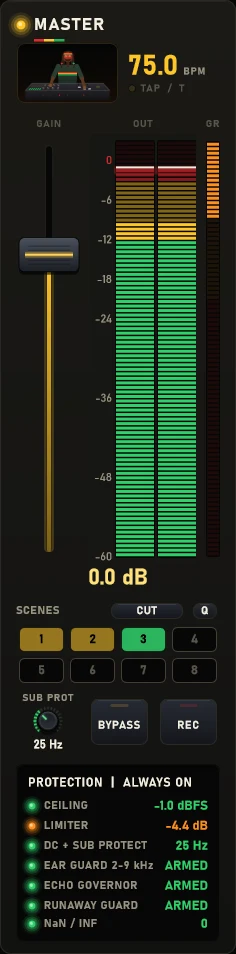
Press REC in the MASTER column. It turns red and counts the time. Press it again to stop.
- What is recorded is exactly what the speakers get — after the master, the system EQ and the protection stage — as a 24-bit stereo WAV.
- Files go to your Music folder, LDP DUB COMMANDER > Recordings, named "DUB SESSION 2026-11-15 22-41-07.wav". Right-click REC to open the folder or show the last file.
- The file's header is kept up to date about once a second: if the PC crashes or the power goes, you lose at most the last second.
- A long night continues in "(2)", "(3)"… before WAV's 4 GB limit; a change of sample rate starts a new file.
- The disk never holds up the audio: the audio thread only copies into a ten-second buffer and a separate thread writes the file. If the disk falls that far behind, REC shows ! and the log says how much was lost.
REC can also be mapped to a MIDI button (target "record").
Your recordings stay on your computer.